
I’m seriously amazed by the comments that you guys are making. I really didn’t know that this number of people wanted to install Shadowrocket on your PC, whether a Mac or Windows.
Well, I’m also sorry that I took so much time to research and find a way for you to use the proxy. Now, without any further due, let’s start the guide.
Can I Use Shadowrocket on a Windows PC or Macbook?
Shadowrocket is primarily made for iOS devices, but after seeing massive demand for PCs but the problem is it’s not natively available for PC platforms like Windows. However, there are ways to use it or a similar functionality on a PC:
Disclaimer: Shadowrocket is not available for Windows directly So, we gonna use a better alternative.
How to Use Shadowsocks on Windows
I’m Using a proxy from OxyLabs and believe me it’s the best Proxy website from where you can.

First of all, download the Shadowshocks tool from this link.
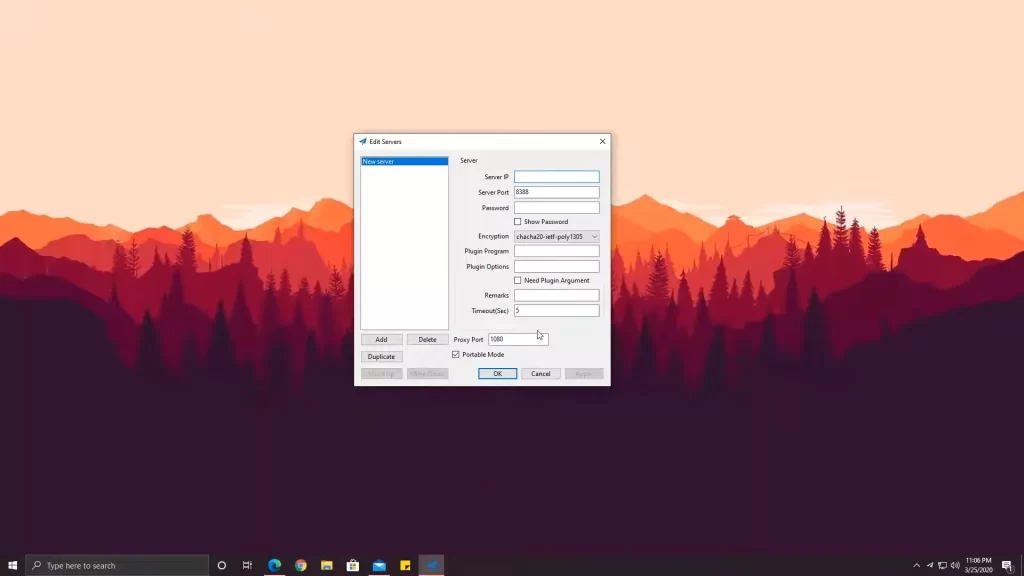
- Now, choose the server from the BVPN or any other proxy site. You need to purchase it.
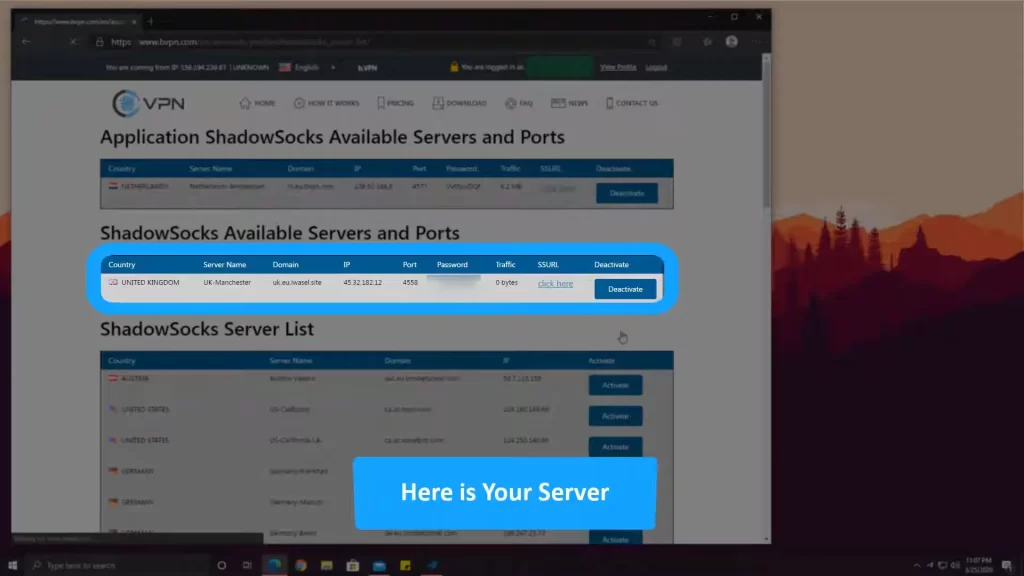
- Now copy and paste the IP address, Proxy port & password that you got and select encryption “chacha20”.
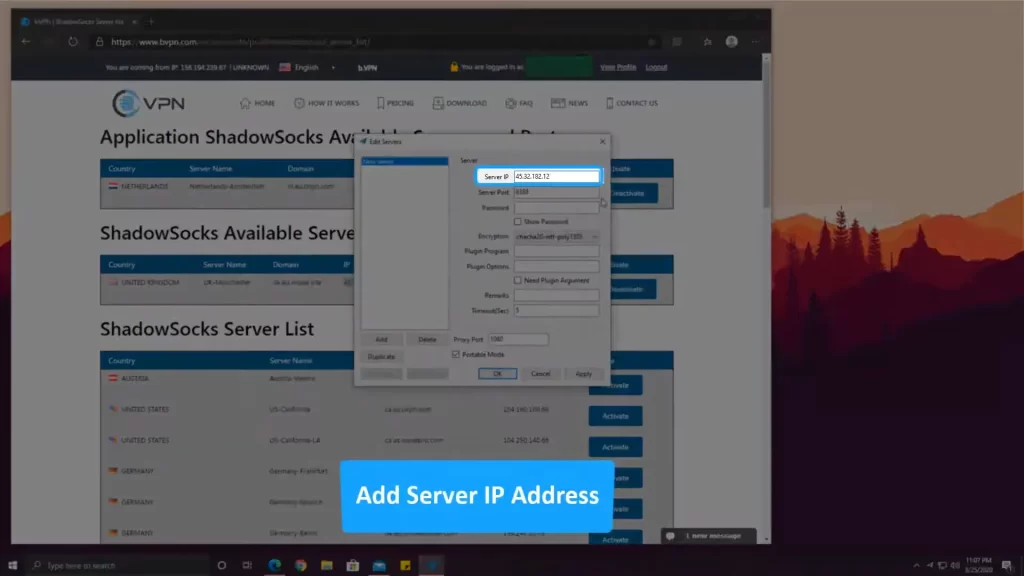
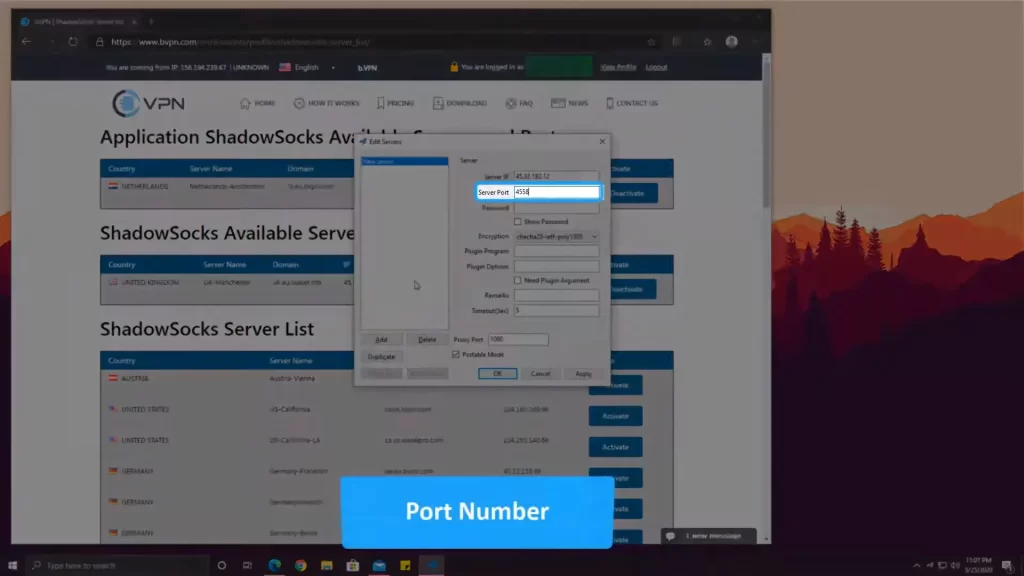
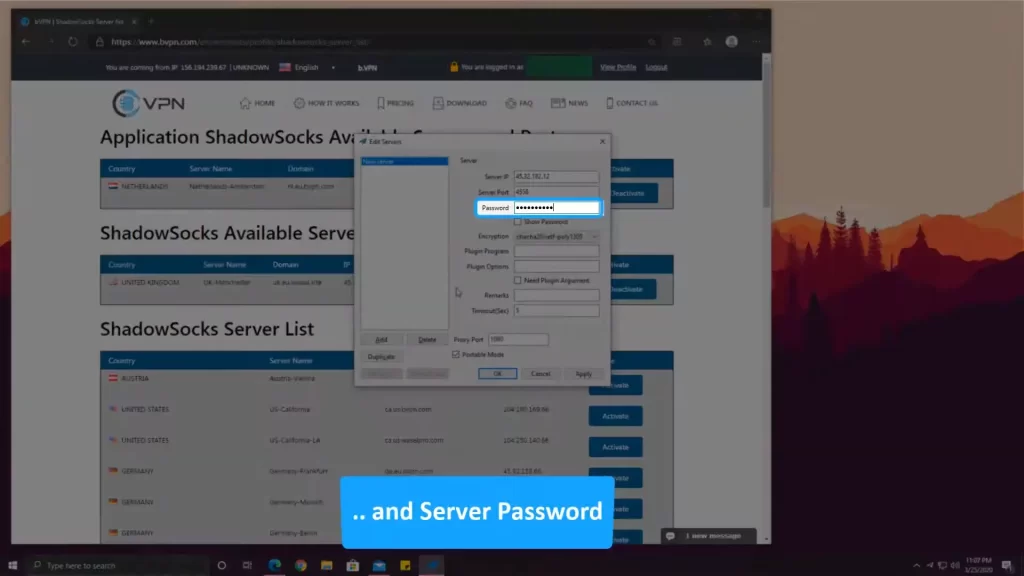
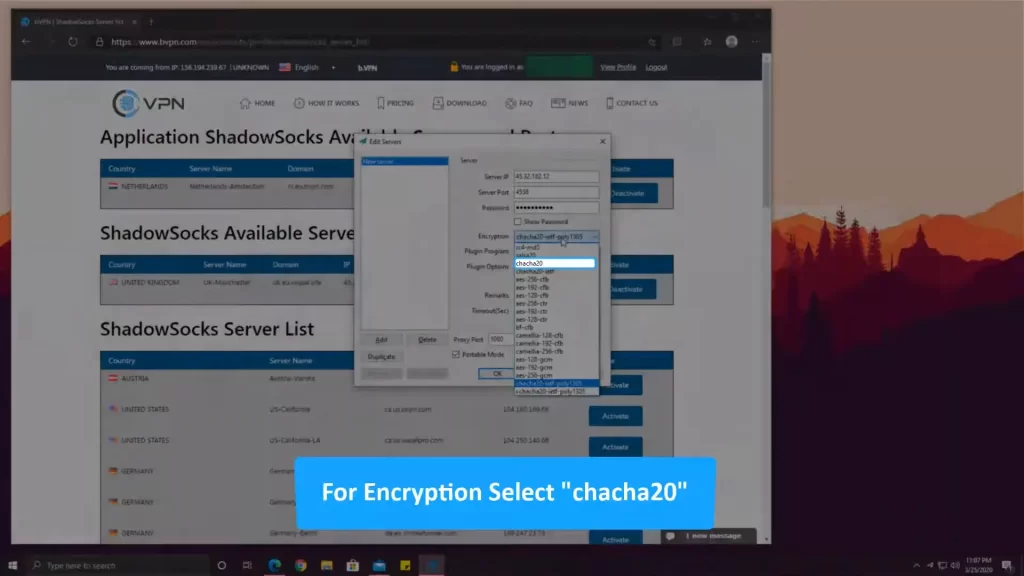
- Now, after entering all credentials click on apply.
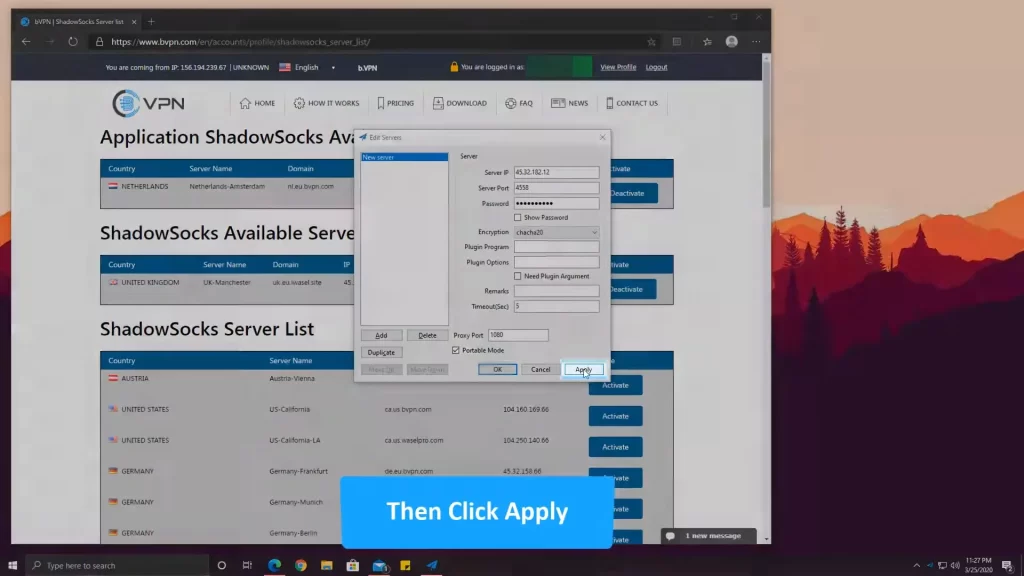
Now, let’s do some configurations.
- Go to the taskbar there you will see the Shadowsocks icon, right-click>PAC; tick these 2 options Local PAC & Secure Local PAC.
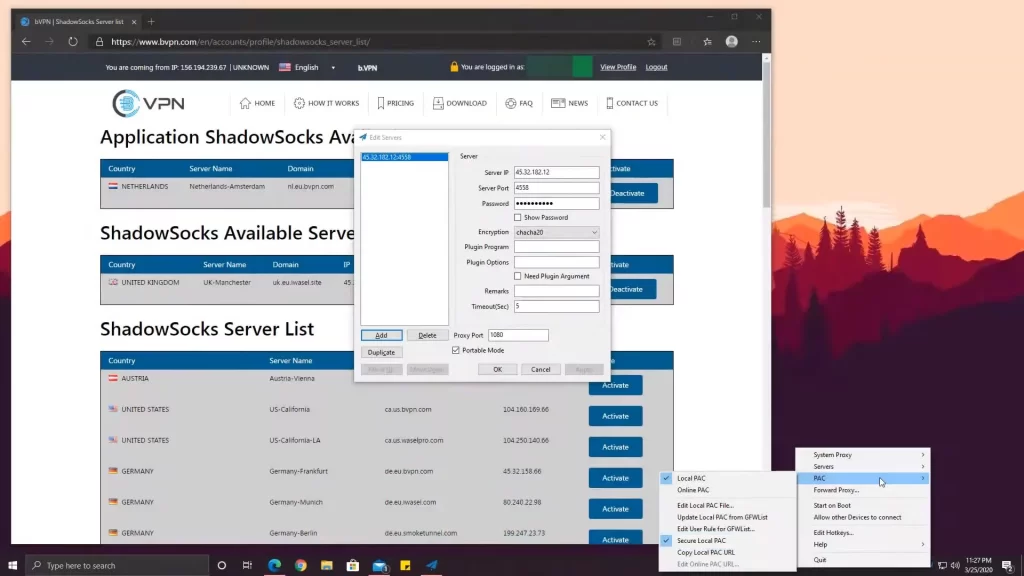
- After that go to the Server option and click on “Import URL from Clipboard”.
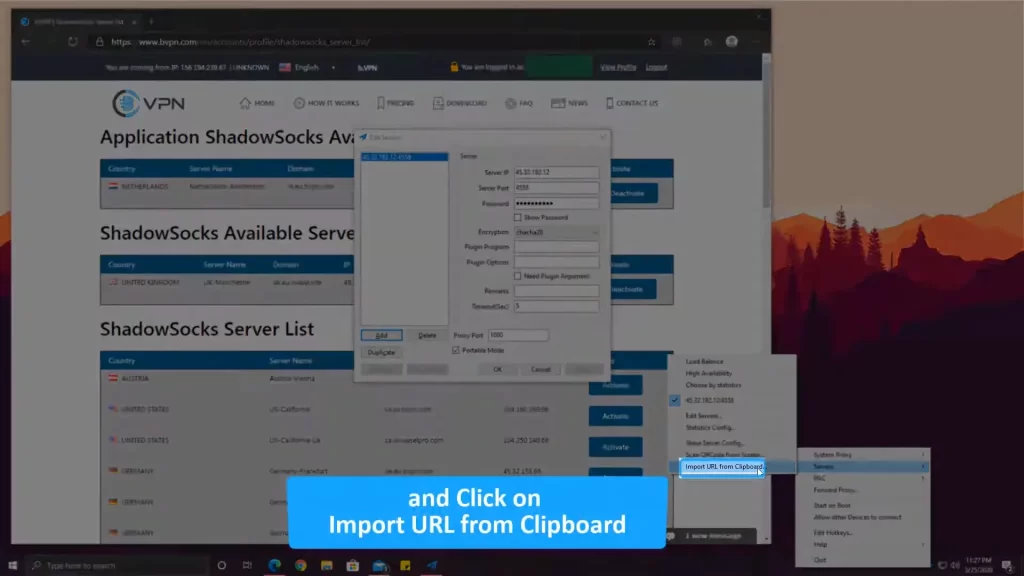
- Now go to System Proxy and tick “Global”.
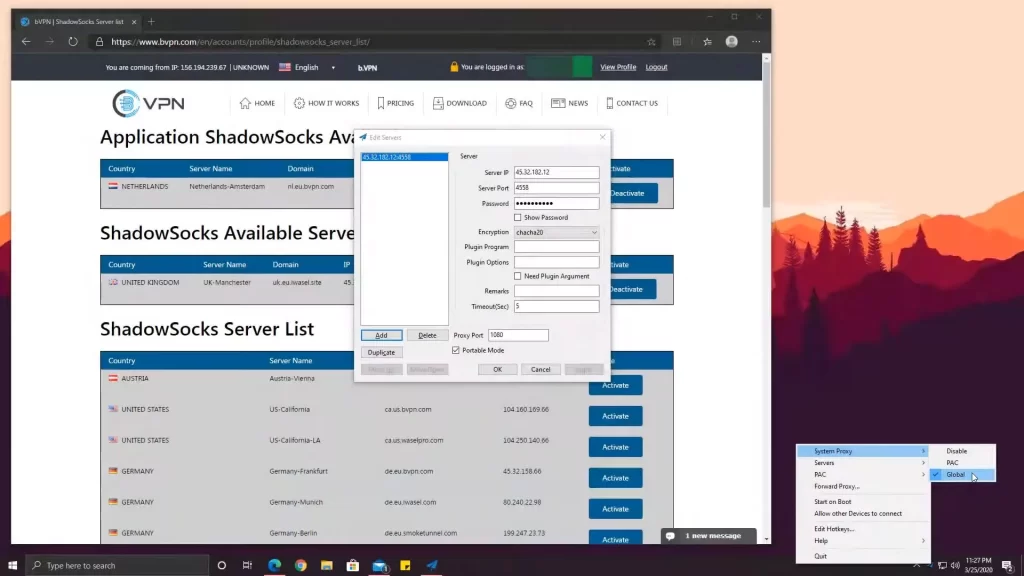
Now, your Shadowsocks has been configured.
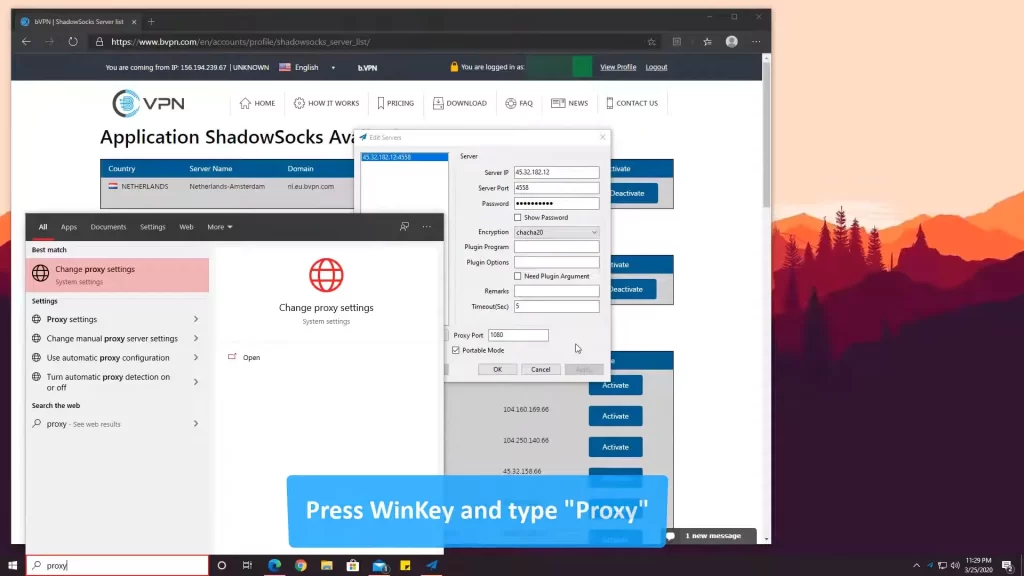
- Now, type proxy on the Windows search bar and open the “Change Proxy Settings”.
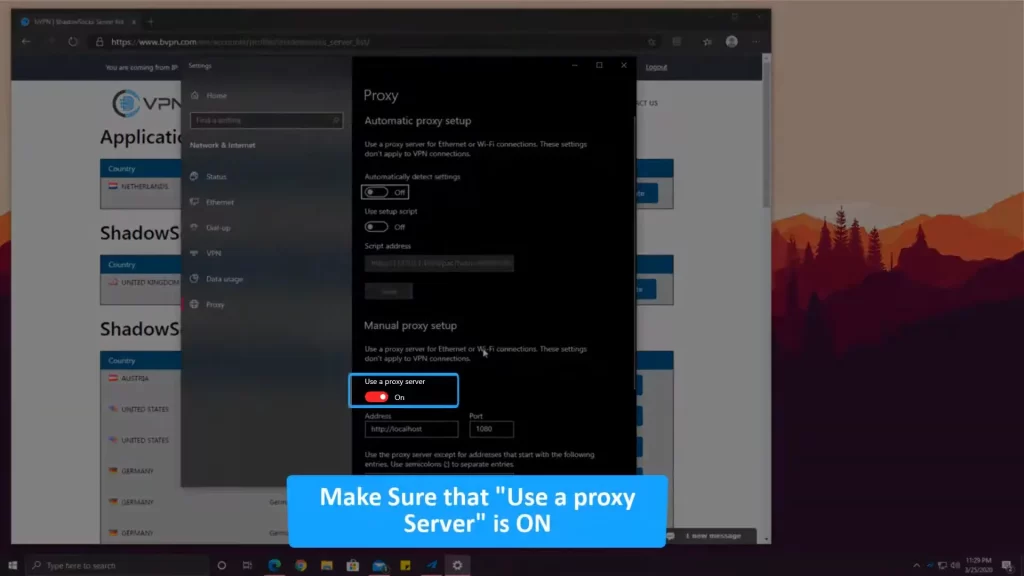
- Turn on the “Proxy” button. Now you’re good to go and surf the browser.
I’m Using a proxy from MyPrivateProxy.net and believe me it’s the best Proxy website from where you can.
How to Install Shadowrocket on a Macbook
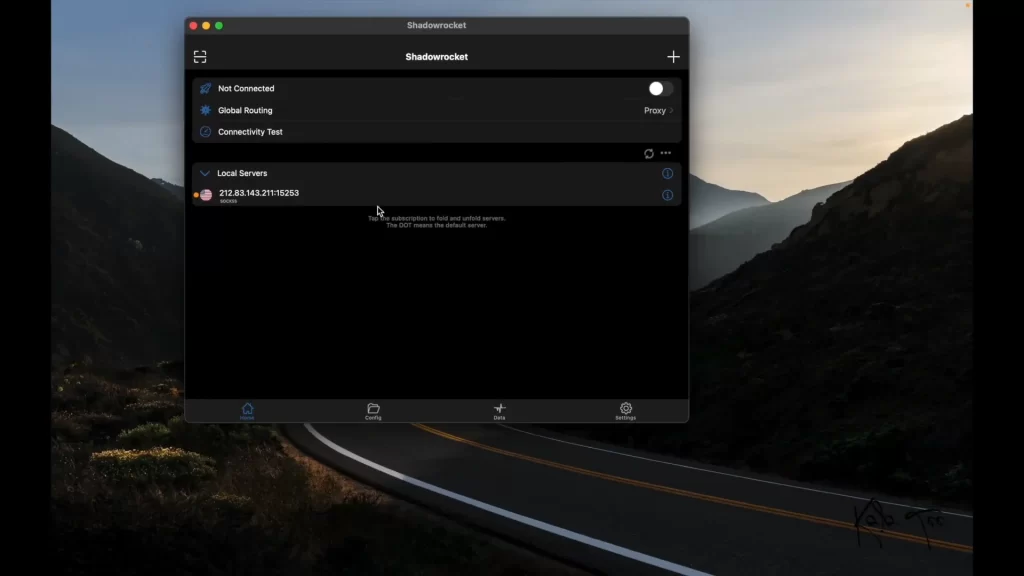
Shadowrocket is available on the Macbook app store. But you should meet the requirements.
Requires macOS 11.0 or later and a Mac with Apple M1 chip or later.
Click on the link and download Shadowrocket on a Macbook.
If you don’t have a Macbook with M1 chip and MacOS 11.0 then you can download shadowsocks from the Macbook App Store. It’s free but you need to buy a Proxy to use it.
Setting up shadowsocks is almost similar to a Windows setup.
The only thing you need to change is the encryption to chacha20-ietf-poly1305.
FAQs
Q1. Is Shadowsocks better than VPN?
Ans. Shadowsocks and VPNs are both tools for privacy and accessing restricted content but they have different features and are suited to different purposes.
Q2. Is Shadowsocks better than SOCKS5?
Ans. If you need a simple proxy solution without encryption, SOCKS5 might be adequate. However, if you’re looking to bypass internet censorship while adding a layer of encryption for a bit more security, Shadowsocks would be the better option.
Q3. What is the use of Shadowsocks?
Ans. Shadowsocks is mainly used to access blocked content and services in countries with internet censorship, offering a faster and more flexible alternative to VPNs, though with a slightly lower level of encryption and privacy.
i want to use it
Can I use Shadowrocket on Mac
Hello Sonic,
Shadowrocket is available and recommended for M1 Macs ONLY.
how can i make my shadowrocket active on my pc computer , i am urgent please reply quickly . thank you so much.
Hello Tomas,
Shadowrocket is not available for PC. You can add proxy on your browser and use it.
how to add proxy ?
May I know which system you’re using? We have shared the guide for Windows and for Mac you can refer to this page – how to add proxy in shadowrocket for Mac
yes
Apply for use
Did it work for you?
需要看推特,youtube
Can you please provide me the links of the X (Twitter)’s thread and youtube link?
I need vpn for my computer
May I know are you looking for free VPN or paid one? What’s the purpose of using it?
where can i download the shadowrocket for windows?
Check above, we have shared the download link
Hello I want to know how to download this APP application.
We have written proper guide above with download link
i want use it
Go ahead and use it for sure and let us know your experience as well.
hi, thank you for shadowrocket on windows.
need buy VPN to use in China.
If you want to access restricted content then I would suggest you to buy VPN. It would be much better and hassle free.
can you develop a brower plug-ins for shadow rockers?
Once you have setup shadowrocket on your system then your whole system runs on that IP.
sry but
I can’t find the page “Application shadowsocks available server and ports”in the BVPN.com,and I can hardly open it for a while,can you tell me some other URLs?
Thanks.
Hello,
You need to login and buy the servers then only you can see.
GOOODDD
TIKTOK
yes
yes
to see tiwtter
我在WIN 10的PC端上安装了火箭,按照上面的操作步骤没有调试成功,能否让客服指导一下 谢谢
是的,你可以向客服寻求解决方案
where can i download the shadowrocket for windows?
i want to use it
Reply